You've built a great Shopify store. Your products look good, your prices are competitive, and your checkout works smoothly. But the traffic just isn't there. You're not alone. This is one of the most common frustrations for Shopify store owners, and the root cause is almost always the same: hidden SEO issues that silently prevent your store from ranking.
Most of these issues are fixable, and once you know what to look for, the fixes are mostly straightforward.
The traffic problem most Shopify stores share
Shopify makes it easy to launch a store, but it doesn't automatically make your store visible in search. Out of the box, many Shopify themes ship with incomplete structured data, unoptimized images, and missing technical SEO fundamentals that search engines rely on to understand and rank your pages.
The result is that Google can see your store exists, but it doesn't have enough signal to rank you above competitors who have these basics in place. Meanwhile, AI search tools like ChatGPT and Perplexity, which more shoppers now use to research products, may not reference your store at all if it lacks the structured content they need.
Common Shopify SEO issues that kill traffic
After analyzing thousands of Shopify stores, certain patterns show up again and again. They aren't obscure technical problems. They're common, high-impact issues that affect revenue:
- Missing or incomplete product schema: Without proper schema markup, Google can't display star ratings, prices, or availability in search results. This directly reduces click-through rates compared to competitors with rich snippets.
- Unoptimized product images: Large image files slow down page load, and images without alt text are completely invisible to Google Image Search, which is a significant source of free, high-intent traffic.
- Slow page speed: If your store takes more than 2.5 seconds to load (especially on mobile), you're losing shoppers before they even see your products. Google also uses page speed as a ranking signal.
- No FAQ schema or answer-ready content: AI search tools rely on structured Q&A content to reference stores in recommendations. Without it, you're invisible to this growing discovery channel.
- Broken internal links: Dead links waste your site's SEO authority and send shoppers to error pages instead of products, hurting both trust and rankings.
- Poor Core Web Vitals: Cumulative Layout Shift (CLS), Largest Contentful Paint (LCP), and other performance metrics directly affect how Google ranks your pages.
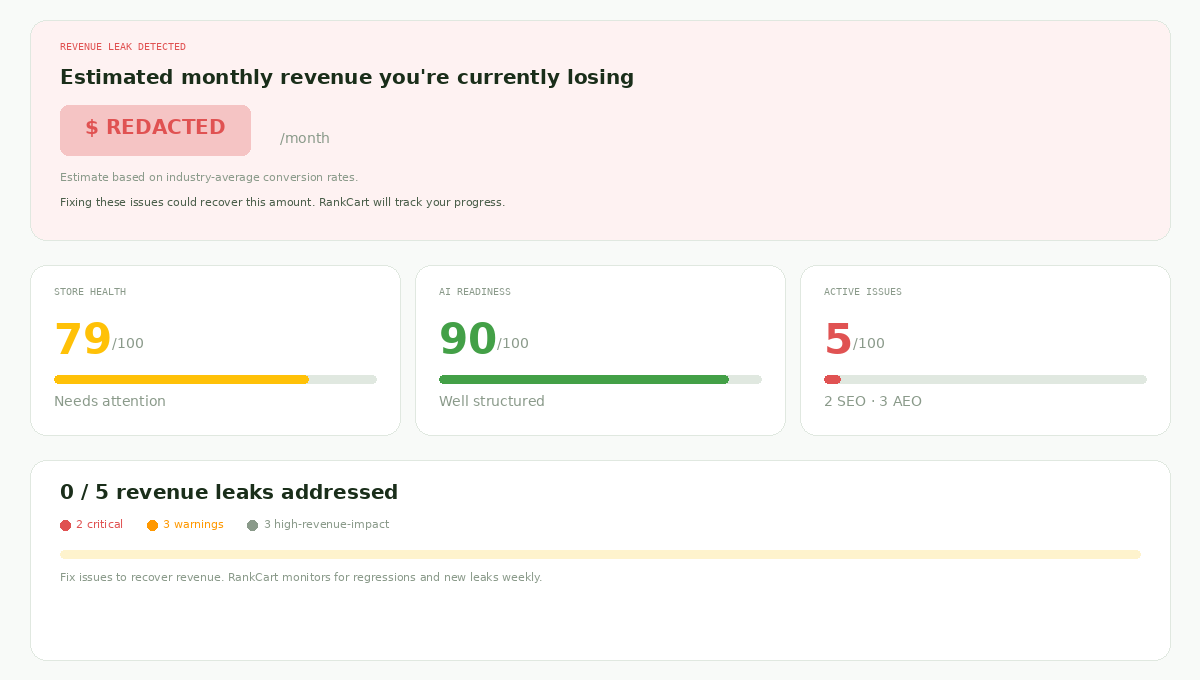
How these issues affect your revenue
Each of these issues affects revenue as well as traffic. Missing product schema means fewer clicks from search results. Slow pages mean higher bounce rates. Missing alt text means an entire traffic channel (image search) that you're completely locked out of.
When you add up the impact of multiple issues, the numbers can be significant. A typical Shopify store with just 3-5 of these problems may be leaving hundreds or even thousands of dollars per month on the table in lost organic traffic and conversions.
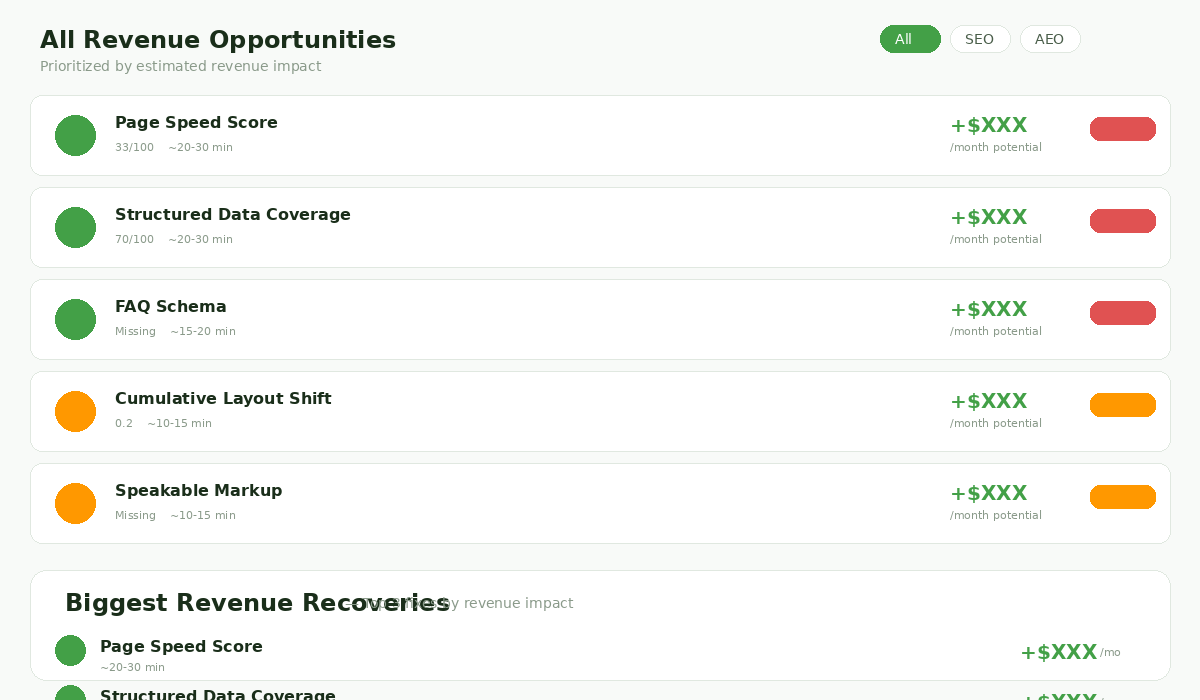
How to find what's wrong with your store
The first step is diagnosing the specific issues affecting your store. You can manually check some of these (Google's PageSpeed Insights for speed, Rich Results Test for schema), but doing this across an entire store is impractical.
A dedicated eCommerce SEO audit tool can check all of these in one pass. RankCart, for example, checks SEO, AI readiness, page speed, schema, images, and broken links on the page you enter and shows the results in about 60 seconds. Each issue comes with an explanation of why it matters, and paid plans add step-by-step instructions for fixing it.
The key is getting a prioritized list. Not all issues are equal: fixing your product schema on 50 products has a much bigger impact than fixing a single broken link. A good audit tool will rank issues by estimated revenue impact so you know where to focus.
Step-by-step: fixing the most common issues
Fix 1: Add complete product schema
Check whether your product pages include JSON-LD structured data with product name, description, price, availability, brand, and review data. Many Shopify themes include partial schema; the fix is often adding a few missing fields to your theme's product template or using a schema app from the Shopify App Store.
Fix 2: Optimize your images
Add descriptive alt text to every product image. Compress images to reduce file sizes without visible quality loss (tools like TinyPNG work well). Use descriptive filenames instead of generic ones like IMG_4523.jpg.
Fix 3: Improve page speed
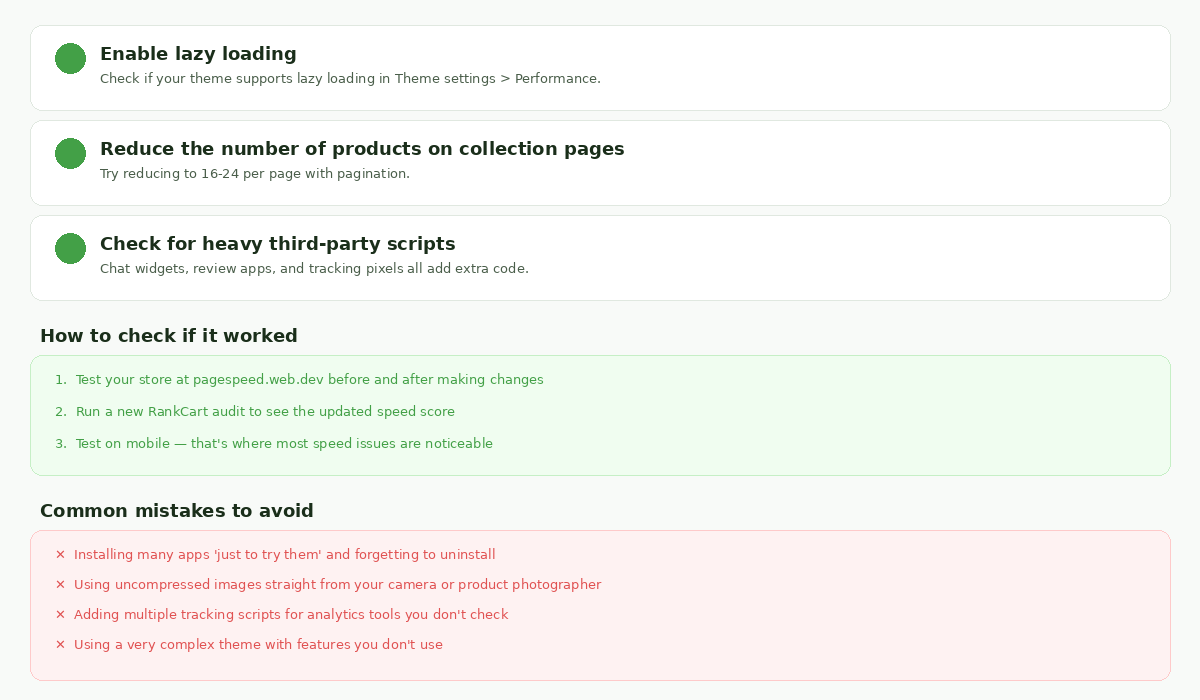
Start with the easy wins: remove unused apps, compress images, and enable lazy loading if your theme supports it. For heavier optimizations, consider reducing the number of products on collection pages and auditing third-party scripts.
Fix 4: Add FAQ content and schema
Create FAQ sections on your most popular product and collection pages. Include questions real shoppers ask about sizing, shipping, materials, and comparisons. Then add FAQ schema markup so both Google and AI search tools can reference your answers.
Fix 5: Clean up broken links
Audit your store for internal links that point to deleted products, old collections, or renamed pages. Set up 301 redirects for any URLs that have moved. This is a one-time cleanup that preserves your existing SEO authority.
What to prioritize first
If you're feeling overwhelmed, here's a practical order of operations:
- Run an audit to understand your specific issues (don't guess; different stores have different problems).
- Fix product schema first: this has the most direct impact on click-through rates from search results.
- Optimize your top 20 product images: focus on your best sellers and highest-traffic pages.
- Address page speed issues: start with image compression and removing unused apps.
- Add FAQ content to 3-5 key pages: this improves both traditional and AI search visibility.
You don't need to fix everything at once. Prioritize by impact, make progress weekly, and track your improvements over time.
How to track your progress
After making fixes, give Google 2-4 weeks to recrawl your pages. Then re-audit your store to see how your scores have changed. Look for improvements in:
- Store health score (overall technical SEO quality)
- AI readiness score (structured data and answer-ready content)
- Page speed metrics (especially on mobile)
- Number of active issues (should decrease over time)
- Revenue opportunity estimates (should decrease as you fix high-impact items)
RankCart sends a weekly email report with your score and top fixes, so you'll notice if your score drops or a previous fix regresses.
The bottom line
Your Shopify store isn't getting traffic because search engines and AI tools don't have what they need to surface it. The fix isn't a redesign or a bigger ad budget. It's fixing the specific technical issues that are holding your store back.
Start with an audit. Fix the high-impact issues first. Track your progress. Most store owners find more easy fixes than they expected.
Want to see what's holding your store back? Run a free RankCart audit. It takes about 60 seconds and requires no signup. You'll get a list of the issues on the page you enter and a headline revenue estimate; paid plans add step-by-step fix guides.